How Ariel Digital moved a 25-year-old Houston pregnancy center off WordPress to a modern stack: 900+ pages migrated, a new design and more clicks from Google.
Location: River Oaks, Houston, Texas · Industry: Pregnancy, parenting and childcare services · Launched: May 25, 2026 · Live site: motherhoodcenter.com
At a Glance
- 900+ pages and articles moved off WordPress, including 816 blog posts, 112 pages, job listings and more than 1,100 images
- A new design built around the Motherhood Center’s brand, with a system of 16 reusable content blocks the team edits themselves
- Every old URL protected with permanent redirects, plus a monitor that catches any broken link a visitor hits after launch
- Class schedules that update themselves, synced every hour from the center’s booking system to the website and Google Calendar
- More clicks from Google and a higher click-through rate in the first weeks after launch
- About four weeks from written requirements to launch
The Client
The Motherhood Center has served Houston families from its River Oaks location since 2000. It’s a one-stop hub for expecting and new parents: childbirth and parenting classes, prenatal yoga and fitness, a prenatal massage spa, breast pump rentals, and a placement agency for nannies, night nurses, doulas and newborn care specialists.
After 25 years, the website held a huge library of content. Its blog alone had more than 800 articles, some of them among the most-read pregnancy resources in Houston search results.
The Challenge
A WordPress redesign had been built and taken almost to launch, but it didn’t meet the standard the Motherhood Center wanted. Behind the scenes, the site carried years of buildup:
- Three generations of page builders and themes layered on top of each other, which made every page heavy and fragile to edit.
- Hundreds of plugins and settings to keep updated, with the usual risk that one update breaks something.
- A class schedule maintained by hand in a separate events plugin, even though the center already ran its classes in Zenoti, its booking software.
- Search rankings at stake. Years of articles and service pages ranked in Google, and any rebuild that broke those URLs would lose that traffic.
Instead of patching the WordPress build again, we moved the Motherhood Center to a modern tech stack. That meant keeping every piece of content worth keeping, giving it a new design, and making sure Google never lost track of a page.
Our Approach
1. Audit everything before moving anything
We started with a full content audit and written requirements. We counted every page, post, image, menu item and redirect on the old site, and decided up front what would move and what wouldn’t. Old tags that were never indexed, an unused events plugin and blog comments stayed behind. Every page, article and image that mattered came over.
2. Migrate the content with tools, not copy and paste
More than 900 pages and articles is too much to move by hand without mistakes. We built migration scripts that read the old WordPress export, convert three generations of page-builder layouts into clean content, and load it into the new content management system. Every script could be re-run safely, so we did a final pull after the content freeze and moved everything again in one pass.
Then we checked the work automatically. Validation scripts compared page and post counts against the old site, flagged any internal link that no longer resolved, confirmed every page had a title, meta description and canonical URL, and scanned for leftover page-builder code.
3. A new design built around the brand
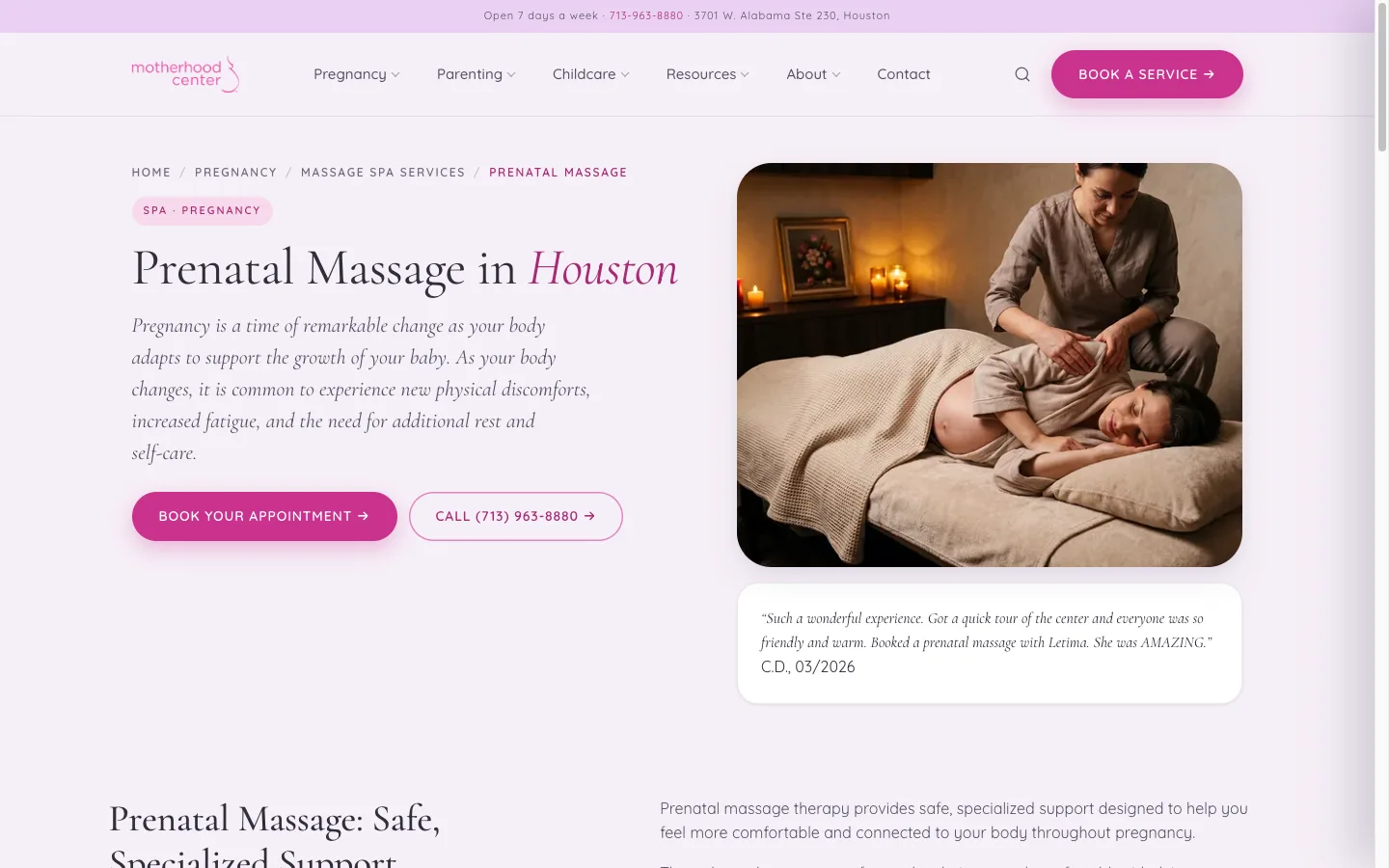 Service pages lead with a clear booking button, a phone number and a real client review.
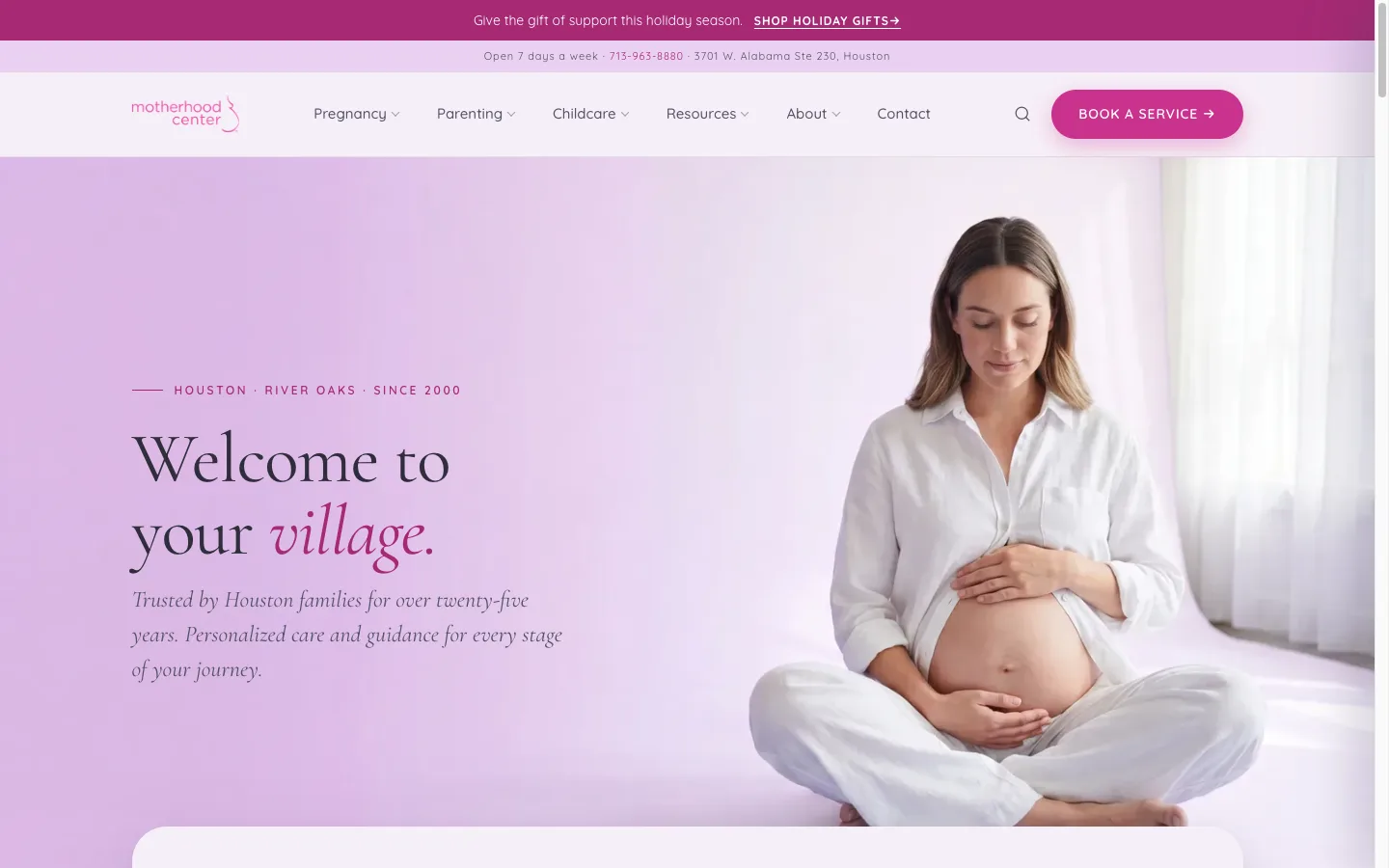
The new design starts from the Motherhood Center’s brand: magenta and lavender, an elegant serif for headings, and a warm, welcoming tone (“Welcome to your village”). We documented it as a design system with defined colors, type and components, and accessibility rules such as color contrast and support for visitors who prefer reduced motion.
Each service page follows the same pattern: what the service is, who it’s for, how to book, and a review from a real client. The site has a three-level menu on desktop and a slide-out menu on phones, so families can get from “I’m pregnant” to the right class or service in a couple of taps.
4. An editing experience the team can run themselves
The Motherhood Center’s staff edit the site every week, so the new content management system had to be at least as easy as WordPress. The team builds pages from 16 content blocks, such as heroes, FAQs, pricing, testimonials, galleries and video. They save drafts, preview a page exactly as it will look before publishing, and the live site updates on its own a moment after they hit Publish. We also wrote a ten-chapter editor’s guide covering pages, blog posts, images, menus, jobs, SEO and redirects.
5. Class schedules that keep themselves current
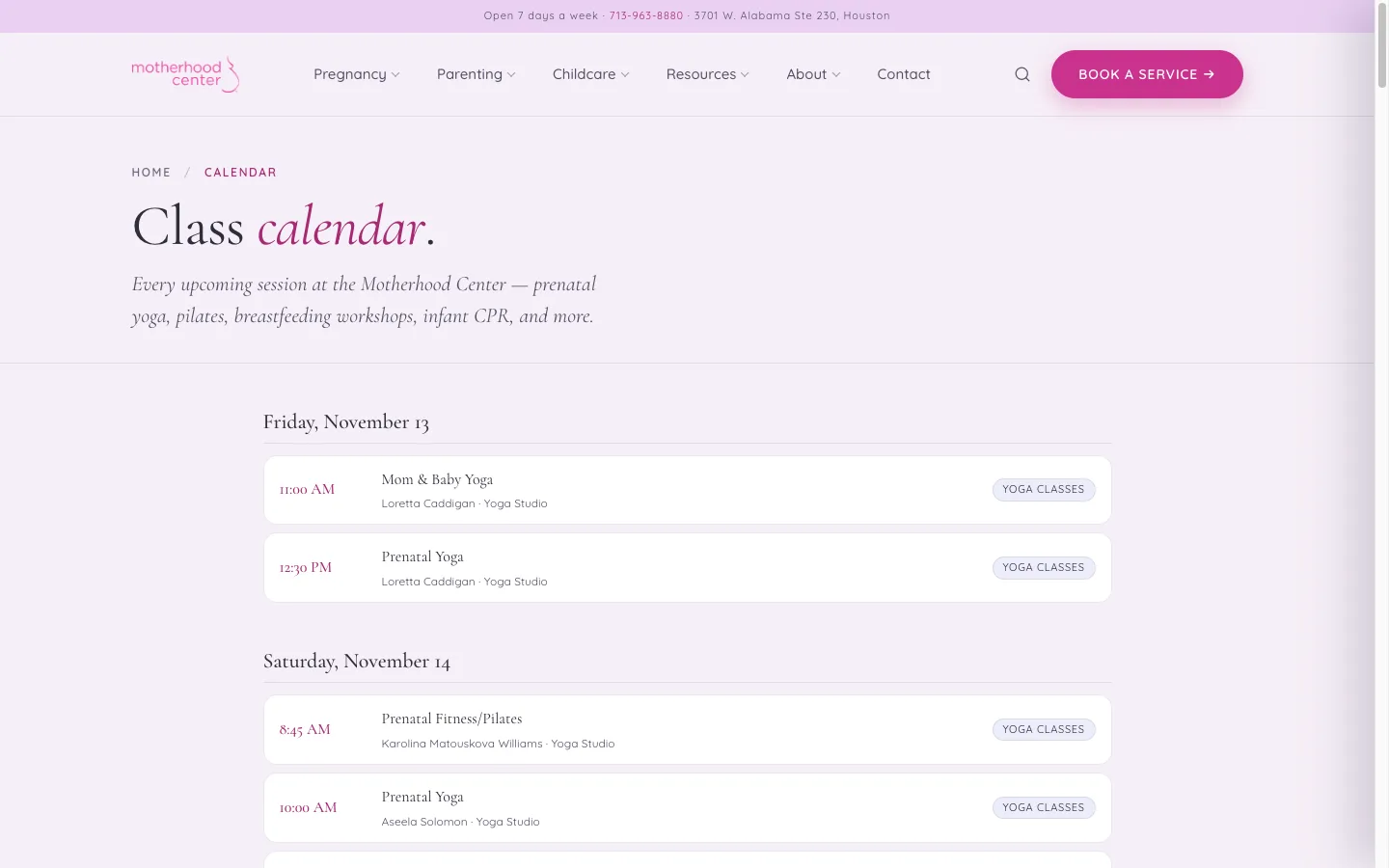 The class calendar fills itself from the center’s booking system every hour.
The center already runs its classes in Zenoti. So instead of asking staff to type schedules into the website, we built an integration that pulls classes from Zenoti every hour, publishes them to the class calendar and schedule pages, and adds every session to the center’s Google Calendar. Cancellations and changes flow through the same way. More than 80 automated tests cover the sync logic, so a change to the schedule can’t quietly break the calendar.
We connected the rest of the center’s tools the same way:
- Google reviews sync into testimonial sections automatically.
- Job application forms for caregivers appear on the right service and job pages.
- Site search is built into the site itself, with a separate search just for the blog.
- Booking links for classes, massage and fitness go straight to Zenoti.
SEO: Protecting 25 Years of Search Rankings
A content-heavy site like this can lose a large share of its search traffic in a rebuild. We treated search as a launch requirement, not a follow-up.
- Every old URL redirects. We kept the site’s existing redirects and generated permanent 301 redirects for all 816 blog posts, so links from Google, other websites and old emails still land on the right article.
- A 404 monitor. After launch, the site quietly logs any address a visitor reaches that doesn’t exist. Editors see the most-hit broken links first and can create a redirect from the same screen.
- Structured data for the business, articles and breadcrumbs, plus a full XML sitemap and RSS feed.
- Titles and meta descriptions carried over from the old SEO plugin for every page and post.
- Analytics set up to run on the live site only, so test traffic never skews the numbers.
Results
We reviewed Google Search Console and Google Analytics 4 in the weeks before and after the May 25 launch. The relaunch performed the way a healthy migration should:
- More clicks from Google, even while Google was still re-crawling and re-indexing the new pages.
- A higher click-through rate. More searchers who saw the site in results chose to visit, a sign the new pages and titles were working.
- Better average rankings, recovering quickly after launch.
- More daily visitors and new users on the site.
- Page-one rankings for high-intent local searches like “prenatal yoga houston” and “prenatal massage houston”, the searches tied directly to bookings.
Custom Tools for Expecting Parents
Parents-to-be search for practical help: when is my baby due, what goes on my birth plan, what do I actually need to buy. We built free, interactive tools that answer those questions on the Motherhood Center’s own site, then point families to the classes and services that help next.
Due Date & Conception Calculator
The due date calculator was already one of the site’s most-visited pages, and “conception calculator” was one of its top search terms. We rebuilt it as a fast, mobile-friendly tool. Parents enter the first day of their last period (with their cycle length) or a known conception date, and instantly see their estimated due date, conception date, how far along they are and which trimester they’re in. The calculator is a content block, so the team can place it on any page and edit the copy around it.
Birth Plan Builder
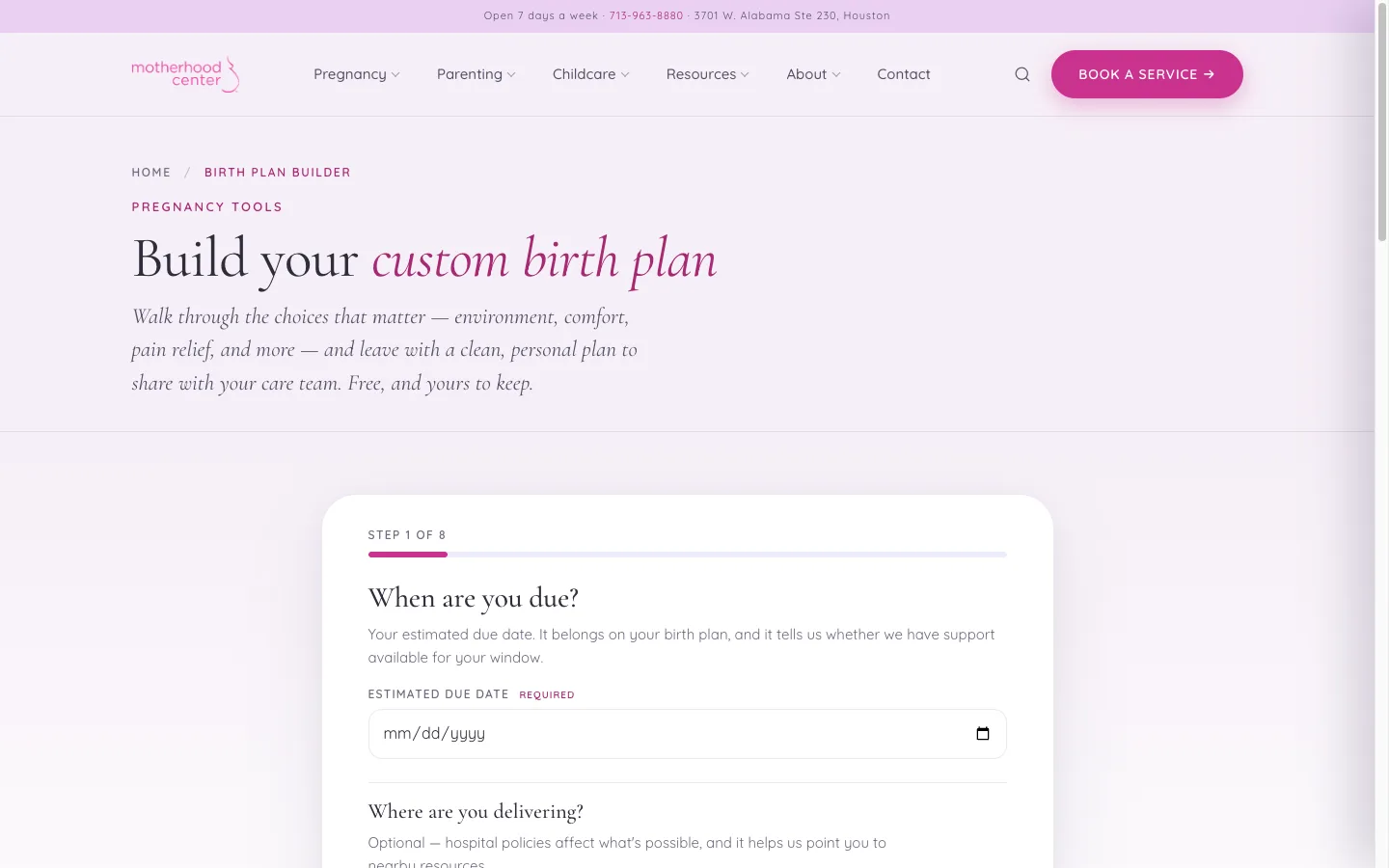 The Birth Plan Builder: eight steps to a printable plan families can share with their care team.
The free Birth Plan Builder walks expecting parents through eight steps: due date, where they’re delivering, birth environment, comfort and pain relief, and more. At the end they get a clean, branded birth plan to print, save as a PDF or email to themselves, along with a link that reopens their plan later.
It’s also a lead source. Each plan is saved to the editor, and when parents say they’d like doula support, the Motherhood Center team gets an alert so they can follow up. The printed plan ends with a page introducing the center’s doula and education services.
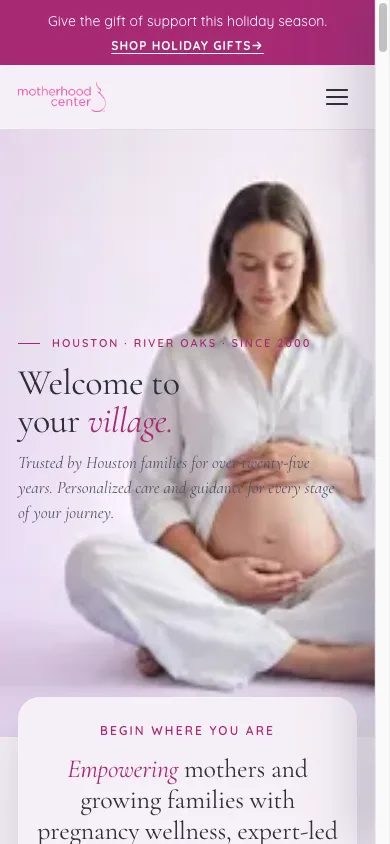
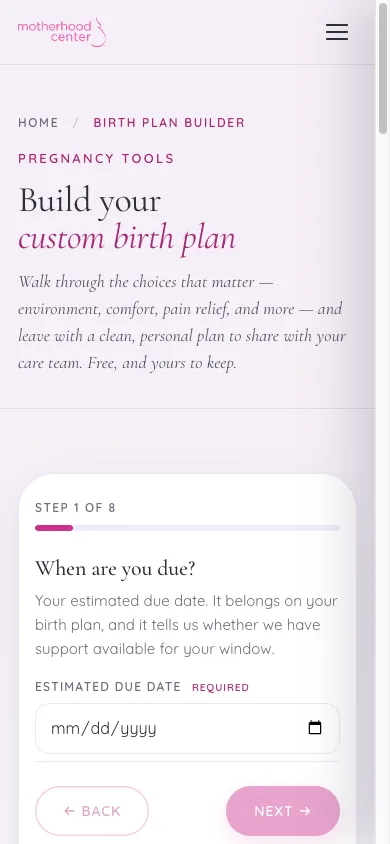
The homepage and the Birth Plan Builder on a phone, where most parents use them.
Personalized Baby Registry Checklist
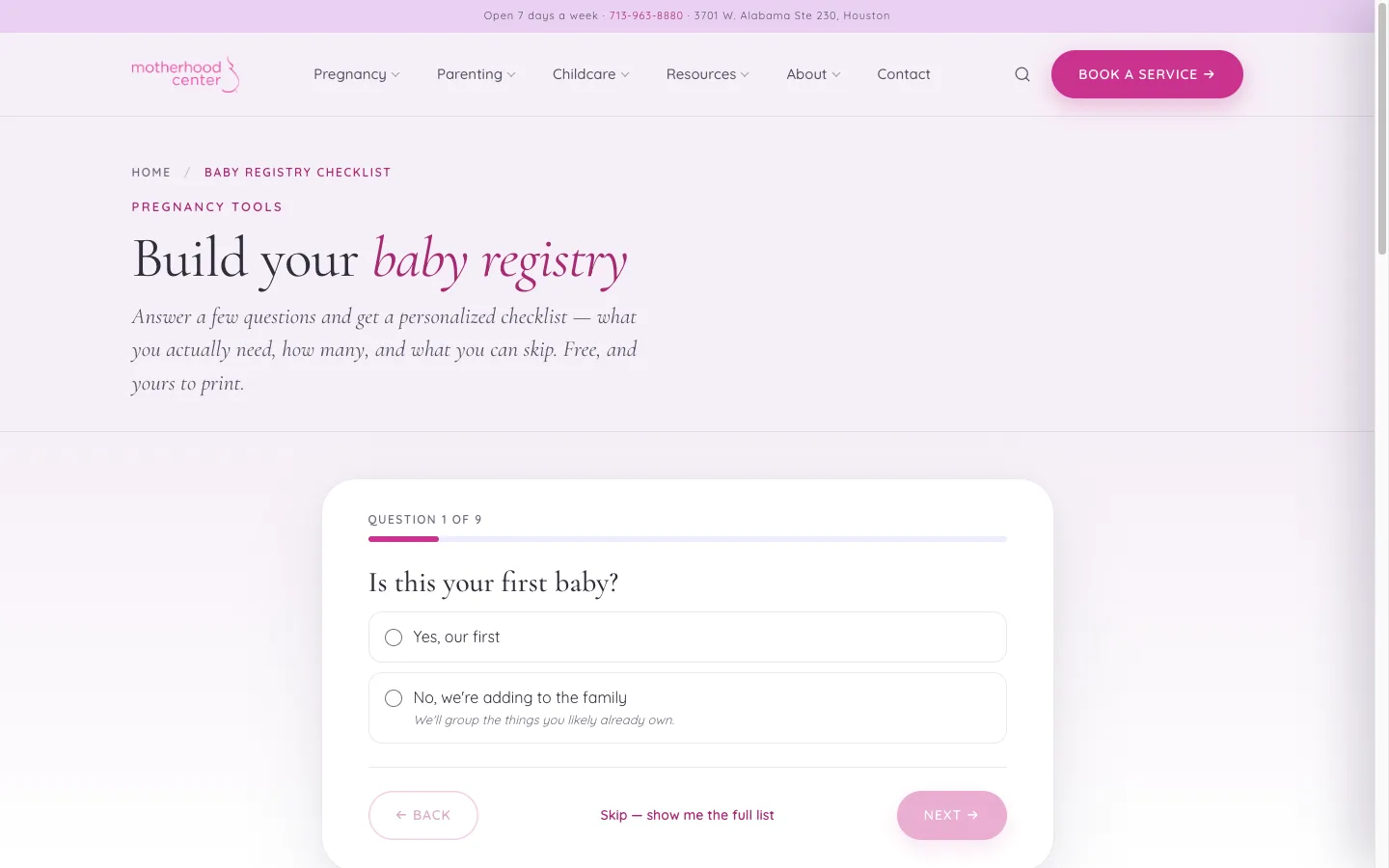 The Baby Registry Checklist turns nine quick questions into a personalized list.
The Baby Registry Checklist asks nine quick questions, such as whether this is a first baby, how the family plans to feed, how much space they have and whether the baby will go to daycare. It then builds a personalized checklist of what they need, how many of each, and what they can skip. Families can tick items off, print the list or save a link to come back to it.
Every item is managed in the editor, with product picks from the Motherhood Center team, multiple shopping links per item and a safety-recall disclaimer. Product links carry the center’s Amazon Associates tag, so the tool can also earn affiliate revenue. The full checklist is marked up for search engines as a list, and service cards in the results point families to related classes and support.
Printable Pregnancy Checklist and Parent Guides
We added a printable pregnancy checklist, a “For Dads” guide for partners preparing for a new baby, and a Dictionary of Caregivers that explains the difference between a nanny, a night nurse, a doula and a newborn care specialist. All of them are linked from the Resources menu.
After Launch: More Ways to Be Found
With the new site in place, adding features became quick. Since launch we’ve also shipped:
- Rich search results. FAQ, event and review-rating markup, so the center’s FAQs, classes and Google star rating can show up directly in search results.
- Google Ads landing pages and conversion tracking, including a holiday gift page and a site-wide announcement bar the team controls from the editor.
What Made It Work
- We counted everything first. A full audit meant nothing was lost, and nothing unneeded came along.
- Scripts, not copy and paste. Repeatable migration and validation scripts moved 900+ pages and proved they arrived intact.
- Search was a launch requirement. Redirects, structured data and a 404 monitor were ready on day one, and clicks went up.
- The site connects to the tools the center already uses. Zenoti, Google Calendar and Google reviews update the website without anyone typing anything twice.
- A modern tech stack made growth easy. New tools and landing pages now take days to build.
Is your website holding your business back?
If your site is slow, hard to edit or buried under years of plugins, a rebuild doesn’t have to cost you your search rankings. Ariel Digital builds custom websites with SEO protected from the first day. Let’s talk about your project →